
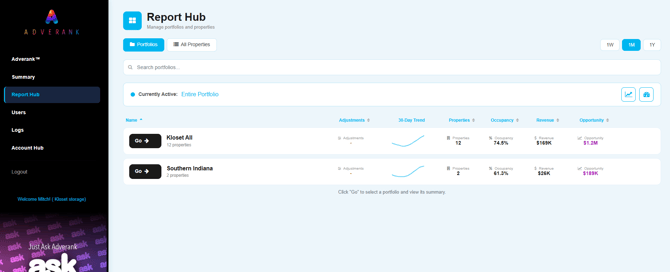
How to Access Report Hub
- Log into Adverank.
- Navigate to the left-hand menu.
- Click on Report Hub.
Creating a Portfolio (Location Group)
- Switch to the "All Properties" tab
- Select a location you want to add to a group and click "Assign"
- Either click the check box next to an existing portfolio or select "Create New Portfolio"
- Enter a portfolio name and hit Add, then save changes.
- Switch back to portfolio view to review.
Best Practices
- Group locations by similar market type when analyzing CPC trends.
- Group by occupancy tier when making budget allocation decisions.
- Use custom date ranges to evaluate specific campaign tests.
- Pair Report Hub data with the ROAS Estimator for move-in and return on ad spend analysis for that particular portfolio.