
The AI Performance Summary sits at the top of your Blocks Analytics Dashboard. It reviews the data for the filters you have selected and explains what changed, why it matters, and, when the data calls for it, what to do next.
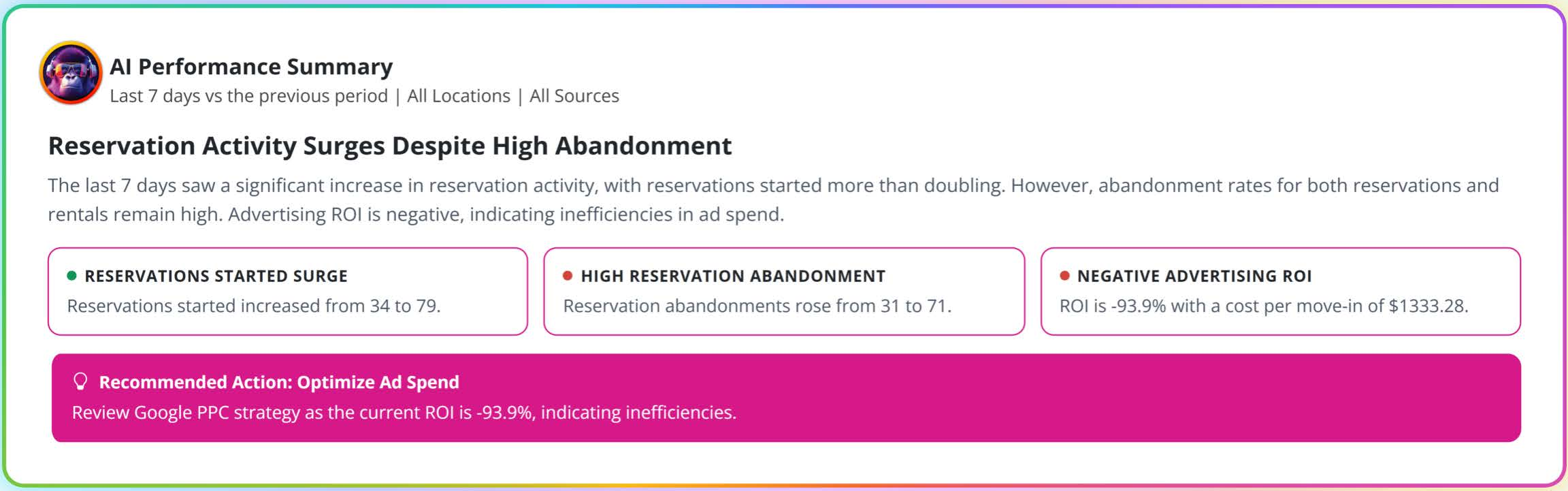
The parts of the summary
1. Context line
Directly under the title, you'll see what the summary is looking at: the date range compared to the previous period, the location, and the source. For example: Last 7 days vs the previous period | All Locations | All Sources.
2. Headline
The main takeaway for your selected view, written in plain English. In the example above, the headline is Reservation Activity Surges Despite High Abandonment, followed by a short explanation.
3. Insight cards
Two or more cards break the headline into the specific changes behind it, such as a surge in reservations started, a rise in abandonment, or a shift in advertising return. Each card includes the actual numbers, so you can see exactly what moved (for example, reservations started went from 34 to 79).
4. Recommended action
When the data points to a clear next step, a bright pink Recommended Action bar appears with a suggestion. Not every summary includes one. If nothing stands out, Edward won't invent a recommendation.
How the summary is generated
The summary is written by Edward, Adverank's AI, and is grounded only in the data for your selected filters. Edward does not make recommendations based on assumptions or outside information.
Change any filter and the summary rewrites itself for that view. Want to know how Google PPC traffic performed at one location last month? Set the filters and read the answer.
Tips for using the summary
- Start here every time you log in. It's the fastest way to spot changes you'd otherwise only find by studying reports.
- Use the insight cards to dig deeper. If a card mentions reservation abandonment, scroll down to the Summary Cards and Standard Metrics to see the full funnel.
- Act on recommendations, then check back. If the summary recommends reviewing your Google PPC strategy, look at the Google PPC Advertising Attribution section, make changes in Adverank Cloud or with your Adverank team, and compare the next period.